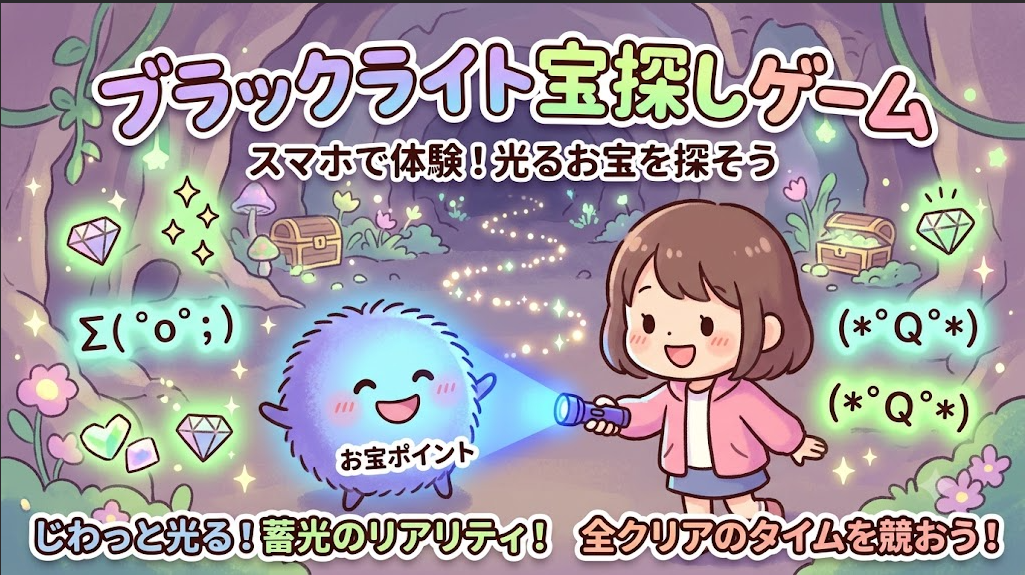


■113個目 「ブラックライト宝探し」
こんにちは、AIと作る100のゲーム実験室の みー です。(*^_^*)/
今回は、暗闇をそっと照らす
「ブラックライト宝探しゲーム」を作ってみました。(^_^)
今回のお宝は……なんと “顔文字” たちです!
ブラックライトを当てると、
ひっそり隠れていた顔文字がじわぁっと浮かび上がり、
ライトを離すとスーッと消えていく――
そんな 蓄光の不思議さ を楽しめる宝探しになっています。
登場する顔文字たちは、みんな個性豊かです。
・ Σ( ゜o゜;) びっくり顔
・ (☆☆) キラキラ顔
・ (><) 困り顔
・ ヽ(^。^)ノ バンザイ顔
ライトを当て続けるとネオングリーンに強く光り出し、
見つけた瞬間には光の粒がパッと弾けます。
暗闇の中で光が生き物みたいに動くので、
ちょっとした“夜の探検”気分です。
どうしても見つからない時のために「ギブアップ機能」も用意しました。
ギブアップすると何が起きるのか……
それは、遊んでみてのお楽しみです。(=v=*)
■ AIとのやりとりで面白かった部分
● ゲーム仕様の相談からスタート
みー:(^v^*)今日もゲームを作ります。HTMLで動かせるゲームです。
ブラックライトを使った宝探しゲームで、
ライトを当てる時間が長いほどお宝ポイントが蓄光して強く光ります。
光が弱まるスピードも、現実より少し早めにして“儚さ”を出したいです。
AI:いらっしゃい。今日もゲーム制作ですね。
暗闇の中で光を当てると、じわっと浮かび上がり、
離すとすーっと消えていく――
そんな蓄光の不思議さを再現するのは、とても面白いアイデアです。
ブラウザ上でも、その雰囲気をしっかり表現できそうです。
みー:(^o^) いい感じ。お宝は顔文字にしましょう。
Σ( ゜o゜;)みたいな、種類多めでランダムに。
AI:了解です。顔文字のリストを作って、
生成時にランダムで選ばれるようにします。
文字数が多いものもあるので、
フォントサイズや位置を少し調整して、見やすく仕上げますね。
みー:(^_^)顔文字の色を、
蓄光材のネオングリーンっぽくしたいです。
全部見つけられた時間をスコアにしましょう。
AI:承知しました!
顔文字の色を鮮やかなネオングリーンにして、
文字自体が発光しているように見せます。
そしてスコアは「全お宝を見つけるまでのクリア時間」に変更して、
タイムアタック要素を加えますね。
みー:( ̄v ̄) 左上の枠に、
3位までの最短クリアランキングを入れましょう。
枠と重なる場所にはお宝が出ないようにお願いします。
AI:ランキング機能、いいですね。
自己ベストを更新していく楽しさが生まれます。
左上の枠と重なる位置にはお宝が配置されないようにして、
見やすさも確保します。
■ 実際の動作
こちらが、仕上がったゲーム画面です。
真っ暗な空間ですが、よく見るとマウスポインタの周りだけ、
ブラックライトの淡い光が見えています。
お宝にライトを当て続けると、
じわぁっと蓄光して姿がはっきり現れ、発見となります。

(画像:ゲーム画面)
5つ全部見つけるとゲームクリアです。
どれだけ早く見つけられるかがスコアになり、
上位3位までランキングに記録されます。
暗闇の中を探しながら、少しずつ光が浮かび上がる瞬間が楽しいです。

(画像:ゲームクリア)
どうしても見つからない時は
「ギブアップ」ボタンを押すと、
隠れていたお宝顔文字たちがふわっと姿を現し、答え合わせができます。
最後まで優しく寄り添ってくれる機能になっています。

(画像:ギブアップ)
■ コードのポイント
今回の記事では、
AI と相談しながら作った「ブラックライト宝探し」 の HTML コードを公開します。
このコードをそのまま保存するだけで、
あなたの PC でもすぐに遊べます。
ブラウザだけで動く、とてもシンプルなゲームなので、
「コードは初めて…」という方でも気軽に試してみてくださいね。
▼ 遊ぶまでの手順(むずかしさ:やさしい)
① テキストエディタを開く
Windows の場合は「メモ帳」、
Mac の場合は「テキストエディット」を使います。
(※検索バーで「メモ帳」と入力するとすぐ出てきます)
② 下のコードをコピーして貼り付けます。
③ 「burakkuraito.html」など、好きな名前で保存します。
(※拡張子は .html にしてください)
④ 保存したファイルをダブルクリックすると、
ブラウザでゲームが起動します。
■ 遊び方・操作方法
操作はとっても簡単です!(^^*)
パソコンのマウスを動かすだけで、
ブラックライトの光がついてきます。
ルールはこんな感じです♪
① 隠れたお宝を探す
暗闇の中をライトで照らして、
隠れている 5つのお宝(顔文字)を見つけます。
② じーっとライトを当てる
お宝の気配を感じたら、そのままライトを当て続けてください。(=v=*)
じわぁっと光が溜まり、最後はパッと弾けて「発見」になります。
③ タイムアタックに挑戦
5つすべてを見つけるまでの「クリアタイム」を競います。
自己ベストを更新できると、ちょっとした達成感がありますよ。
ライトをスーッと外すと、
現実の蓄光アイテムのようにゆっくり光が消えていきます。
その儚い感じも、ぜひ楽しんでみてください。(^_^)
「どうしても最後の1つが見つからない……!」 そんな時は、
画面にある赤い ギブアップ ボタンを押してみてくださいね。
魔法が解けたように、隠れていたお宝が一斉にピカッと姿を現してくれます。
自己ベストタイムを目指して、ぜひ何度でも遊んでみてくださいね。
“コードは長いので折りたたんでいます。必要な方は開いてご覧ください。
▼ここからコード▼(クリックで開く)
<html lang="ja"><head><meta charset="UTF-8"><title>ブラックライト宝探し (ランキング機能付き)</title><style> body { margin: 0; overflow: hidden; background-color: #050505; color: #fff; font-family: 'Hiragino Kaku Gothic ProN', 'Meiryo', sans-serif; user-select: none; } canvas { display: block; } #ui { position: absolute; top: 20px; left: 20px; pointer-events: none; background: rgba(0, 0, 0, 0.7); padding: 15px; border-radius: 8px; border: 1px solid #444; box-shadow: 0 0 15px rgba(0,0,0,0.9); z-index: 100; min-width: 260px; /* UIの幅を確保 */ } h1 { margin: 0 0 10px 0; font-size: 24px; color: #8a2be2; text-shadow: 0 0 10px #8a2be2; } p { margin: 5px 0; font-size: 14px; color: #ccc; } #score-container { font-size: 16px; color: #aaa; margin-top: 10px; } #time-display { font-size: 24px; font-weight: bold; color: #39ff14; font-family: monospace; } #found-count { font-weight: bold; color: #eee; } /* --- ランキング用のスタイル --- */ #ranking-container { margin-top: 15px; padding-top: 10px; border-top: 1px dashed #555; } #ranking-container p { color: #ffd700; font-weight: bold; margin: 0 0 5px 0; text-shadow: 0 0 5px rgba(255, 215, 0, 0.5); } #ranking-list { margin: 0; padding-left: 20px; font-family: monospace; color: #ccc; } #ranking-list li { margin-bottom: 3px; } .ui-btn { margin-top: 15px; padding: 10px 20px; color: #050505; border: none; border-radius: 4px; font-size: 16px; font-weight: bold; cursor: pointer; pointer-events: auto; transition: background-color 0.2s, transform 0.1s, box-shadow 0.2s; width: 100%; } #giveup-btn { background-color: #e74c3c; box-shadow: 0 0 15px rgba(231, 76, 60, 0.4); display: none; } #giveup-btn:hover { background-color: #c0392b; box-shadow: 0 0 25px rgba(192, 57, 43, 0.6); } #retry-btn { background-color: #39ff14; box-shadow: 0 0 15px rgba(57, 255, 20, 0.4); display: none; } #retry-btn:hover { background-color: #2ecc71; box-shadow: 0 0 25px rgba(46, 204, 113, 0.6); } .ui-btn:active { transform: scale(0.95); }</style></head><body><div id="ui"> <h1>ブラックライト宝探し</h1> <p>マウスでライトを動かし、暗闇に隠された<br>お宝(顔文字)を探してください。</p> <div id="score-container"> タイム: <span id="time-display">0.00</span> 秒<br> 見つけたお宝: <span id="found-count">0</span> / 5 </div> <!-- ランキング表示エリア --> <div id="ranking-container"> <p>🏆 Top 3 ランキング</p> <ol id="ranking-list"> <li>-- 秒</li> <li>-- 秒</li> <li>-- 秒</li> </ol> </div> <button id="giveup-btn" class="ui-btn">ギブアップ</button> <button id="retry-btn" class="ui-btn">もう一度挑戦する</button></div><canvas id="gameCanvas"></canvas><script> const canvas = document.getElementById('gameCanvas'); const ctx = canvas.getContext('2d'); const timeDisplayEl = document.getElementById('time-display'); const foundCountEl = document.getElementById('found-count'); const giveupBtnEl = document.getElementById('giveup-btn'); const retryBtnEl = document.getElementById('retry-btn'); const rankingListEl = document.getElementById('ranking-list'); // --- ランキングデータの読み込み --- let rankings = []; try { const saved = localStorage.getItem('blacklightRankings'); if (saved) rankings = JSON.parse(saved); } catch(e) { console.log("ローカルストレージが使えません"); } function updateRankingDisplay() { rankingListEl.innerHTML = ''; for (let i = 0; i < 3; i++) { const li = document.createElement('li'); if (rankings[i]) { li.innerText = rankings[i].toFixed(2) + ' 秒'; } else { li.innerText = '-- 秒'; } rankingListEl.appendChild(li); } } updateRankingDisplay(); // 初期表示 function resize() { canvas.width = window.innerWidth; canvas.height = window.innerHeight; } window.addEventListener('resize', resize); resize(); let mouse = { x: -1000, y: -1000 }; const baseLightRadius = 130; let currentLightRadius = baseLightRadius; window.addEventListener('mousemove', (e) => { mouse.x = e.clientX; mouse.y = e.clientY; }); const faces = [ "Σ( ゜o゜;)", "(゜Д゜)", "(*゜Q゜*)", "(^◇^*)", "o(^o^)o", "(☆_☆)", "(°0°)", "(・0°)", "(^з^)-☆", "ヽ(^。^)ノ", "(´▽`)", "( ・д・)", "( ;∀;)", "(-_-メ)", "(;_ ;)", "(゜_゜)", "(^_-)-☆", "(*'▽')", "(+_+) ", "(V)o¥o(V)", "(>_<)", "(^O^)", "(@_@)", "(;一_一)", "(ノД`)・゜・。", "(一一\")" ]; const phosphorescentColor = '57, 255, 20'; class Particle { constructor(x, y) { this.x = x; this.y = y; const angle = Math.random() * Math.PI * 2; const speed = Math.random() * 3 + 1; this.vx = Math.cos(angle) * speed; this.vy = Math.sin(angle) * speed; this.life = 1.0; this.decay = Math.random() * 0.02 + 0.02; this.size = Math.random() * 3 + 1; } update() { this.x += this.vx; this.y += this.vy; this.life -= this.decay; } draw() { if (this.life <= 0) return; ctx.save(); ctx.globalAlpha = this.life; ctx.fillStyle = `rgb(${phosphorescentColor})`; ctx.shadowColor = `rgb(${phosphorescentColor})`; ctx.shadowBlur = 10; ctx.beginPath(); ctx.arc(this.x, this.y, this.size, 0, Math.PI * 2); ctx.fill(); ctx.restore(); } } let particles = []; class Treasure { constructor() { // --- UIの左上枠(幅350px、高さ450px程度)を避ける配置ロジック --- let overlap = true; let maxAttempts = 50; // 無限ループ防止 for (let i = 0; i < maxAttempts; i++) { this.x = Math.random() * (canvas.width - 100) + 50; this.y = Math.random() * (canvas.height - 100) + 50; // 左上のUI領域(余裕を持って x:350以下 かつ y:450以下)なら再抽選 if (this.x > 350 || this.y > 450) { overlap = false; break; } } // もしスマホ等の縦長画面で極端に狭く、50回連続で失敗した場合はそのまま配置 this.fontSize = Math.floor(Math.random() * 16) + 12; this.radius = this.fontSize; this.charge = 0; this.found = false; this.symbol = faces[Math.floor(Math.random() * faces.length)]; } update() { if (gameFinished && (this.found || gameFinishedReason === 'giveup')) return; const dx = this.x - mouse.x; const dy = this.y - mouse.y; const distance = Math.sqrt(dx * dx + dy * dy); if (distance < currentLightRadius) { this.charge += 0.015; if (this.charge > 1) this.charge = 1; } else { this.charge -= 0.004; if (this.charge < 0) this.charge = 0; } if (this.charge > 0.85 && !this.found) { this.found = true; for(let i = 0; i < 20; i++) { particles.push(new Particle(this.x, this.y)); } updateScore(); } } draw() { if (this.charge <= 0) return; ctx.save(); const alpha = this.charge; const drawAlpha = (this.found || gameFinishedReason === 'giveup') ? Math.max(alpha, 1.0) : alpha; ctx.fillStyle = `rgba(${phosphorescentColor}, ${drawAlpha})`; ctx.shadowColor = `rgba(${phosphorescentColor}, 1)`; ctx.shadowBlur = (gameFinishedReason === 'giveup' ? 20 : this.charge * 40); ctx.font = `bold ${this.fontSize}px monospace`; ctx.textAlign = 'center'; ctx.textBaseline = 'middle'; ctx.fillText(this.symbol, this.x, this.y); ctx.restore(); } } let startTime, currentTime, timerInterval; let gameFinished = false; let gameFinishedReason = ''; const totalTreasures = 5; let treasures = []; function createTreasures() { treasures = []; particles = []; for (let i = 0; i < totalTreasures; i++) { treasures.push(new Treasure()); } } let foundCount = 0; function updateScore() { foundCount = treasures.filter(t => t.found).length; foundCountEl.innerText = foundCount; if (foundCount === totalTreasures && !gameFinished) { gameFinished = true; gameFinishedReason = 'clear'; finishGame(); } } function updateTime() { if (gameFinished) return; currentTime = (Date.now() - startTime) / 1000; timeDisplayEl.innerText = currentTime.toFixed(2); } function startGame() { gameFinished = false; gameFinishedReason = ''; foundCount = 0; foundCountEl.innerText = 0; timeDisplayEl.innerText = '0.00'; giveupBtnEl.style.display = 'block'; retryBtnEl.style.display = 'none'; createTreasures(); startTime = Date.now(); if (timerInterval) clearInterval(timerInterval); timerInterval = setInterval(updateTime, 10); } function finishGame() { clearInterval(timerInterval); const finalTime = currentTime.toFixed(2); timeDisplayEl.innerText = finalTime; giveupBtnEl.style.display = 'none'; retryBtnEl.style.display = 'block'; if (gameFinishedReason === 'clear') { // --- ランキングの保存処理 --- rankings.push(Number(finalTime)); rankings.sort((a, b) => a - b); // 昇順(早い順)に並び替え rankings = rankings.slice(0, 3); // Top3だけ残す try { localStorage.setItem('blacklightRankings', JSON.stringify(rankings)); } catch(e) {} updateRankingDisplay(); // 表示を更新 setTimeout(() => alert(`素晴らしい!すべてのお宝を見つけました!\nクリアタイム: ${finalTime} 秒`), 300); } } function giveUpGame() { if (gameFinished) return; clearInterval(timerInterval); gameFinished = true; gameFinishedReason = 'giveup'; treasures.forEach(t => { t.charge = 1.0; }); giveupBtnEl.style.display = 'none'; retryBtnEl.style.display = 'block'; setTimeout(() => alert(`ギブアップ!お宝の場所はここでした。\n次は全部見つけてみましょう!`), 300); } retryBtnEl.addEventListener('click', startGame); giveupBtnEl.addEventListener('click', giveUpGame); function drawLight() { currentLightRadius = baseLightRadius + (Math.random() * 6 - 3); ctx.save(); ctx.beginPath(); ctx.arc(mouse.x, mouse.y, currentLightRadius, 0, Math.PI * 2); const gradient = ctx.createRadialGradient(mouse.x, mouse.y, 0, mouse.x, mouse.y, currentLightRadius); gradient.addColorStop(0, 'rgba(110, 0, 255, 0.35)'); gradient.addColorStop(0.5, 'rgba(100, 0, 255, 0.15)'); gradient.addColorStop(1, 'rgba(100, 0, 255, 0)'); ctx.fillStyle = gradient; ctx.fill(); ctx.closePath(); ctx.restore(); } function animate() { ctx.clearRect(0, 0, canvas.width, canvas.height); drawLight(); treasures.forEach(t => t.update()); treasures.forEach(t => t.draw()); for (let i = particles.length - 1; i >= 0; i--) { particles[i].update(); particles[i].draw(); if (particles[i].life <= 0) { particles.splice(i, 1); } } requestAnimationFrame(animate); } startGame(); animate();</script></body></html>
■ 今日の学び
ブラックライトで光を当てて見つけるだけ、
というとてもシンプルなルールですが、
実際に遊んでみると意外と見つからず、
画面のあちこちを探し回る作品になりました。
以前作った#5の実験「4つ葉のクローバー探し」の時もそうでしたが、
“簡単そうで簡単じゃない”という絶妙な難しさが、
このゲームの大きなポイントです。
なかなか見つからないもどかしさがあるからこそ、
暗闇から光がふわっと浮かび上がった瞬間の
「あった!」につながるのだと思います。
( Ꙭ ) ‼︎ ジーッ…ポワッ
画面はずっと真っ暗で、見た目にはとても地味なゲームです。
でも実は、ただ顔文字を探すだけでなく、
「目に見えない幸せや楽しさ、日常にそっと隠れている素敵な何かを見つける体験」を表現したいと思いながら作りました。
見えないだけで、そこにはちゃんとある。
皆さんもぜひ、根気よくライトを当てて、
暗闇に隠れた小さなお宝を見つけてみてくださいね。(^^*)
■ 次回は、スイカのピンボールゲームです。
7月27日の「スイカの日」に合わせて作ったゲームです。
大好きなスイカをたっぷり詰め込んだ、
スイカ全振りの作品になっています。
以前から「ピンボールゲームを作ってみたい」と思っていたのですが、
なかなかうまく形にできず、そのまま眠っていたアイデアでした。
今回は思い切って、スイカの世界観と組み合わせることで、
ようやく納得のいく形に仕上げることができました。
次回もぜひ楽しみにしていてくださいね。(*^v^)ノシ
▶ 次の実験はこちら
スイカの世界とピンボール
「Watermelon Pinball」
✨今日も最後まで読んでくださって、ありがとうございます。
みーの実験室は、みなさんの応援で元気に動いています。(*^v^*)
🌈はじめての方へ
🌳 実験一覧
🌱 このブログについて
🍃 プライバシーポリシー
🥚未記事ゲーム展示室①
🐣未記事ゲーム展示室②